



Vadzo Imaging Introduces Innowave-1335CRA: Onsemi AR1335 13MP Autofocus GigE WiFi Camera with Onboard Storage for Embedded Vision
FORT WORTH, TX / ACCESS Newswire / October 28, 2026 /Vadzo Imaging, a provider of embedded vision camera products for OEMs and system integrators, today introduces the Innowave-1335CRA, a 13MP Autofocus GigE WiFi Camera built on the Onsemi AR1335 sensor with onboard storage. Part of Vadzo 's network camera portfolio, the Innowave-1335CRA combines Gigabit Ethernet and dual-band Wi-Fi, VCM autofocus, an onboard dewarping engine for lenses up to 200 DFOV, and the standards support that large deployments expect. With this introduction, Vadzo presents a 13MP ONVIF GigE WiFi Camera for smart city, medical, robotics, and retail systems, together with guidance on choosing between wired and wireless links, using ROI based focus and digital PTZ together, and planning storage and multicast.
Why a 13MP Autofocus GigE WiFi Camera Needs Flexible Networking and ROI Autofocus
Network camera units face two kinds of variety at once. The first is variety in where they sit. Fixed positions on poles and ceilings suit a cable, while temporary setups, moving platforms, and hard-to-wire spaces suit Wi-Fi. Integrators who serve both often stock two camera types and maintain two sets of settings. A camera with both links removes that duplication and adds a fallback, since a wireless link can keep a camera reachable when a cable is cut. The links behave differently. Gigabit Ethernet gives steady bandwidth and low delay. Wi-Fi shares the air with other devices; its speed varies with distance and interference, and multicast sent over it usually travels at a low data rate that can slow the whole wireless network. A design has to respect those differences from the start.
The second variety is in what the camera sees. Subjects sit at different distances, and a fixed focus lens is sharp at one distance and soft at the rest. Autofocus fixes that, but a whole-frame autofocus can be pulled toward the wrong object when the scene is busy. Exposure has the same problem, since a bright window or a lit sign can darken the part of the frame that matters. A camera that can measure focus and exposure on a chosen region of interest keeps the important area sharp and correctly exposed. Teams can then move that region as the scene changes.
Resolution creates opportunities and demands. A 13MP frame holds far more detail than most displays can show, so a viewer needs a way to move through it. Digital pan, tilt, and zoom lets an operator look at a close detail without a motorized mount, and it gives a fixed camera the behavior of several. Very wide lenses add distortion that must be corrected before anyone can use the image, and correcting it on every viewer wastes processing power, and it ties the camera to a particular viewer.
Reliability closes the list. Networks lose packets and wireless links drop out, so footage can disappear when it matters. Several camera units covering one scene also need clocks that agree. Teams that discover these needs late must add recorders, time servers, and processing after installation, which raises cost and complexity. Choosing a camera with these functions built in keeps the system simpler.
How a 13MP Autofocus GigE WiFi Camera Combines Dual Connectivity, Autofocus, and Dewarping
The Innowave-1335CRA is built on the Onsemi AR1335, a 13MP (4208 x 3120) color rolling shutter sensor with a 1/3.2 inch optical format and 1.1 micron pixels. A voice coil motor autofocus lens assembly covers a focus range from 100mm to infinity, with continuous, one-shot, and manual modes. The camera adds a Gigabit Ethernet interface with 100Base-T and 1000Base-T modes and a dual-band Wi-Fi interface supporting 802.11a, b, g, n, and ac. The 2.4 GHz band reaches farther through walls but is crowded, and the 5 GHz band is faster and cleaner but shorter in range, so a site can choose the band that suits it. A site survey with a phone or a laptop shows which band is usable at the camera position. Access point placement and channel choice then decide how steady the wireless link will be.
Standards and storage make the camera manageable. ONVIF compliance lets standard video management software discover the camera and use its video. IEEE 1588 PTP aligns the camera clock to a network time source, so frames from several camera units share a time base, and it works best on the wired link. Onboard storage lets the camera keep recording during a network gap so that footage can be copied back later. Unicast streaming sends a separate stream to each viewer, and multicast sends one stream that switches copy to many viewers, which belongs on the wired side. Teams should check that their switches handle multicast group management before they rely on it.
The onboard dewarping engine corrects the distortion of lenses up to 200 DFOV inside the camera. A simple equidistant model shows what that means for pixels. On this sensor, a 200-degree diagonal lens has a focal length of about 1.65 millimeters, and the center of the image carries about 26 pixels per degree. The model is illustrative, since real lenses differ. ROI based autofocus and exposure then let the camera focus and meter on a selected region, and digital pan, tilt, and zoom let an operator move through the 13MP frame. A 1080p view needs only 1920 pixels across, so a 4208-pixel-wide frame supports about 2.2 times digital zoom with no loss of detail. Very wide lenses have deep depth of field, so autofocus matters most with narrower lenses and close subjects. Teams should choose the lens and the focus strategy together.
iHDR, the intelligent HDR mode, helps with scenes that mix bright and dark regions, such as a doorway or a window behind a subject. The camera finishes images in its on-board ISP, which performs debayering, demosaicing, color correction, contrast correction, gamma correction, denoising, and lens corrections, with auto exposure and auto white balance. Because the sensor reads the image row by row, the camera uses a rolling shutter, which suits most scenes and can show skew on very fast motion. Teams should plan bandwidth for each interface and choose the resolution and compression that the link can carry. A short bandwidth test on the real Wi-Fi network is the most reliable guide.
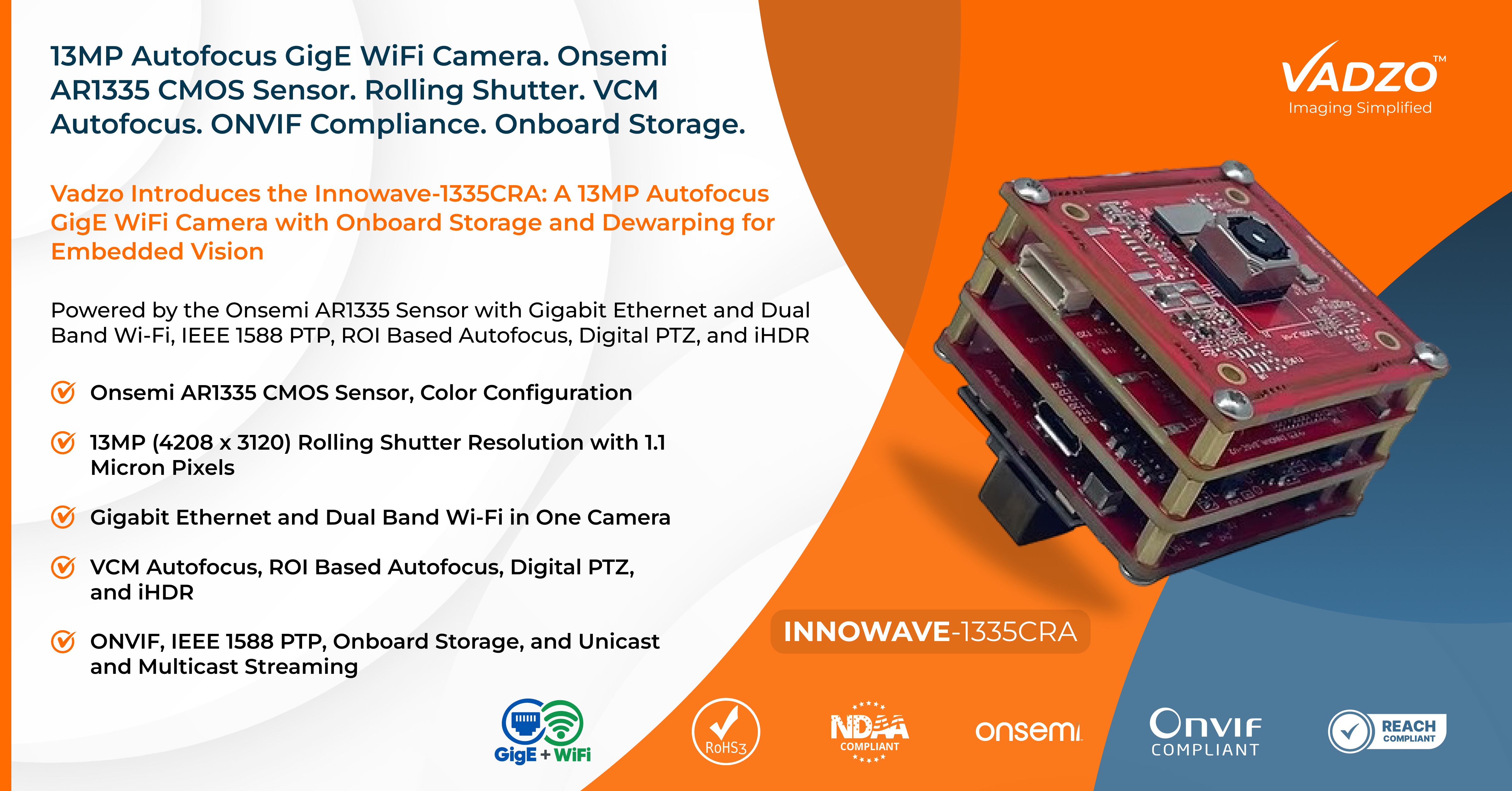
Product Overview
The Innowave-1335CRA is a 13MP color network camera built on the Onsemi AR1335 sensor with Gigabit Ethernet and Wi-Fi in one unit. As a 13MP PTP Synchronization GigE WiFi Camera, it aligns frames across several camera units, and as a 13MP Onboard Storage GigE WiFi Camera, it keeps recording locally when a link drops. The 13MP Unicast Multicast GigE WiFi Camera designation covers both streaming modes, and the 13MP Onboard Dewarping Engine GigE WiFi Camera designation covers lenses up to 200 DFOV. The camera also serves as a 13MP Ethernet GigE WiFi Camera, an AR1335 GigE WiFi Camera, an AR1335 Ethernet WiFi Camera, and an AR1335 Autofocus GigE WiFi Camera for designs that need both links. Its 4K video mode also makes it a 4K GigE WIFI Camera, a 4K Ethernet WIFI Camera, a 4K Autofocus GigE WIFI Camera, and a 4K Autofocus Ethernet WIFI Camera.
Key specs: 13MP (4208 x 3120) Max Resolution | Onsemi AR1335 1/3.2 inch Sensor Format | 1.1 micron Pixel | Color with Rolling Shutter | Gigabit Ethernet (100Base-T and 1000Base-T) and Dual Band Wi-Fi (802.11a/b/g/n/ac) | VCM Autofocus Optics, 100mm to Infinity
Key Capabilities of the 13MP Autofocus GigE WiFi Camera
Gigabit Ethernet and Dual-Band Wi-Fi Connectivity
One camera serves both wired and wireless sites. The Ethernet interface offers 100Base-T and 1000Base-T modes, and the Wi-Fi interface is dual band, supporting 802.11a, b, g, n, and ac. An installer can commission the unit wirelessly and then run it on a cable for the full stream, or keep it wireless where cabling is impractical, and a wireless link can keep the camera reachable if a cable fails. A 13MP Autofocus Ethernet WiFi Camera of this kind means one part number, one set of spares, and one set of settings for mixed sites. Vadzo advises on how to divide traffic between the two interfaces for each design.
ONVIF Compliance for Network Video Integration
ONVIF is an industry standard that lets network video products from different makers work together. Because the camera complies with ONVIF, standard video management and recording software can discover it and request its video without custom code, which shortens commissioning in large sites. An AR1335 ONVIF Autofocus Ethernet WiFi Camera keeps one discovery method across wired and wireless units. Teams should confirm the ONVIF features they need against the product documentation. Operators who manage many sites also gain from a single discovery method across all their camera units.
IEEE 1588 PTP for Multi-Camera Time Synchronization
When several camera units cover one scene, reviewers need recordings that line up in time. PTP, defined in IEEE 1588, synchronizes each camera clock to a network time source so frames share a common time base. The best accuracy comes on the wired link, because wireless delay varies. An AR1335 PTP Synchronization Ethernet WiFi Camera should be tested on the real switches before a large rollout. A small pilot network is usually enough to reveal any issue before it affects many sites.
Onboard Recording During Network Interruptions
Networks drop packets and wireless links drop out. Onboard storage lets the camera keep recording locally while the link is down, so footage can be copied back afterward instead of being lost. An AR1335 Onboard Storage Ethernet WiFi Camera suits sites with unreliable connections and mobile platforms that move in and out of coverage. Teams should confirm the capacity and retrieval method for their design, and plan how long footage must be kept.
Unicast and Multicast Streaming for Different Network Setups
Unicast sends a separate stream to each viewer. Multicast sends one stream that the network copies to many viewers, which saves bandwidth when many clients watch the same camera. Multicast needs switches that support it, and over Wi-Fi it is usually sent at a low data rate that can slow the wireless network, so Vadzo recommends multicast on the wired link. An AR1335 Multicast Streaming GigE WiFi Camera should be tested with the real network, since multicast support varies between switches and access points.
Onboard Dewarping for Ultra-Wide Lenses up to 200° DFOV
Very wide lenses capture a huge area and bend the picture strongly. The onboard dewarping engine flattens the image inside the camera for lenses up to 200 DFOV, so any client receives a usable view. The correction is set for a particular lens and trades some field of view at the edges for straight lines, so teams choose the lens and the profile together. In the illustrative model, the 13MP sensor keeps about 26 pixels per degree at the center. Teams should confirm the usable field and the edge resolution with their own lens.
ROI-Based Autofocus and Exposure Control
A whole-frame autofocus can be drawn to the wrong object in a busy scene. ROI based autofocus measures focus on a chosen region, so the important area stays sharp, and ROI based exposure keeps it correctly exposed beside a bright window or sign. Teams place the region over the subject area and adjust it as the scene changes, for example, when a digital zoom window moves to a new part of the frame. The autofocus offers continuous, one shot, and manual modes, so a design can track a moving subject, focus once on command, or hold a chosen distance.
Digital PTZ for Detailed Views from a 13MP Frame
A 13MP frame holds far more detail than a display can show. Digital pan, tilt, and zoom lets an operator move through the frame and look closely at a region without a motorized mount. A 1080p view needs only 1920 pixels across, so the 4208-pixel-wide frame supports about 2.2 times digital zoom with no loss of detail. Combined with ROI based autofocus, a fixed camera behaves like several. Operators can also record the full frame while the live view shows a zoomed window.
Intelligent HDR for Scenes with Bright and Dark Areas
Intelligent HDR, or iHDR, helps with scenes that mix bright and dark regions, such as a doorway, a shop window, or a lamp behind a subject. It keeps detail in both bright and dark parts of the frame, so faces, labels, and equipment stay readable. Teams should compare the mode on and off with their own scenes, ideally at noon and at dusk, since the benefit depends on how extreme the contrast is and on how much of the subject sits in shadow. As a 13MP GigE WiFi Camera Manufacturer, Vadzo supports lens matching, firmware customization, and enclosure design for volume programs. Teams moving from evaluation to volume keep the same camera and documentation.
"Customers asked us for one camera that works on a cable or over Wi-Fi, keeps recording when the network drops, and stays sharp on whatever is in front of it. The Innowave-1335CRA does that with Gigabit Ethernet and dual-band Wi-Fi, onboard storage, and voice coil autofocus from 100mm to infinity. ROI based focus and exposure and digital pan, tilt, and zoom then let a single fixed camera serve several views from one 13MP frame. We are also plain about the physics. Wi-Fi is slower and less steady than a cable, multicast belongs on the wired side, and a very wide lens needs dewarping and gives up some detail at the edges. We help customers plan around all of that, and we encourage them to test on their own network with their own lens before they order in volume. " - Alwin Vincent, Product Manager, Vadzo Imaging.
Applications of Dual-Interface Imaging and Autofocus
Smart City Monitoring with Flexible Network Connectivity
City systems mix cabled poles with quick wireless deployments. The Innowave-1335CRA works as a Smart City Solution GigE WiFi Camera that covers wide areas with a dewarped view and zooms digitally into detail, and as a Biometric GigE WiFi Camera at controlled access points, where autofocus and 13MP detail help capture faces at different distances. Biometric systems carry privacy and legal duties that belong to the solution provider, and the camera supplies the image while the decoding accuracy depends on the software and the site. Installers also value that the unit can be commissioned over Wi-Fi before the cable is run.
Medical and Laboratory Imaging with Flexible Connectivity
Medical and laboratory devices need sharp, detailed color images and flexible connections. The camera serves as a Pathology GigE WiFi Camera for specimen and label imaging behind suitable optics, and as a Retina Imaging GigE WiFi Camera module in ophthalmic devices that supply their own specialized optics. Device makers remain responsible for illumination safety, performance claims, and the regulatory pathway of the finished device, and they should confirm the focus range and field of view against their own optics. A wired link suits fixed instruments, and Wi-Fi suits mobile carts.
Industrial Inspection and Mobile Robotics Imaging
Factories and mobile platforms need flexible networks and clear images. The camera functions as an Industrial Inspection GigE WiFi Camera whose 13MP detail and ROI autofocus keep small features sharp, as a Robotics GigE WiFi Camera on arms and cells, and as an AGV GigE WiFi Camera on vehicles that move between wired docks and wireless floors. The same camera can also serve as a UAV GigE WiFi Camera or a Drone GigE WiFi Camera for payloads with a network link, where weight and vibration limits should be checked. Mobile robots benefit from commissioning over Wi-Fi and running on a cable at the dock.
Retail Shelf and Aisle Monitoring with Digital PTZ
Stores change layouts often, and wireless units are quick to place. As a Retail Analysis GigE WiFi Camera, the module covers shelves and aisles with a dewarped wide view, zooms digitally into a shelf, and keeps products sharp at different distances, while the wired link serves fixed positions that need the full stream. Retail teams can start with Wi-Fi and move to cable once the layout settles.
Frequently Asked Questions
Q: Why would a camera need both Ethernet and Wi-Fi?
A:Vadzo Imaging explains that real sites differ. Fixed positions suit a cable, while temporary or moving positions suit Wi-Fi, and a camera with both lets one model serve either. It also gives a fallback, since the wireless link can keep the camera reachable if the cable fails. A 13MP Autofocus GigE WiFi Camera simplifies spares and training, and Vadzo Imaging recommends using the cable for the full stream where the site allows, since a 13MP ONVIF GigE WiFi Camera can carry the full stream on the wired link and keep Wi-Fi for backup.
Q: What does ROI based autofocus do that normal autofocus does not?
A:A normal autofocus measures sharpness across the whole frame and can be pulled toward the wrong object in a busy scene. ROI based autofocus measures only a chosen region, so the important area stays sharp, and ROI based exposure keeps it correctly exposed beside bright windows or signs. Vadzo Imaging suggests placing the region over the subject area and testing it with the real scene, because a 13MP Onboard Dewarping Engine GigE WiFi Camera with ROI focus is easiest to judge on its own footage.
Q: How does digital PTZ work on a 13MP camera?
A:The camera captures a large frame, and software shows only a window of it. Panning and tilting move the window, and zooming makes it smaller. Because a 1080p view needs only about 1920 pixels across, a 4208-pixel-wide frame supports about 2.2 times digital zoom with no loss of detail. A 13MP Ethernet WiFi camera of this kind gives a fixed mount the behavior of several, without moving parts, and a 13MP Onboard Storage GigE WiFi Camera can keep the full frame on its own storage.
Q: Is it safe to use multicast over Wi-Fi?
A:Multicast saves bandwidth on a wired network by sending one stream that switches copy to many viewers. Over Wi-Fi, it is usually sent at a low data rate, which can slow the whole wireless network. It is best used on the wired side, with unicast on the wireless one. Vadzo Imaging recommends testing the real access points and switches before relying on multicast, since a 13MP Unicast Multicast GigE WiFi Camera lets teams choose the mode for each link.
Q: Why should integrators choose Vadzo Imaging as their 13MP GigE WiFi Camera Manufacturer?
A:Vadzo Imaging offers more than a camera module built around a capable sensor. Integrators working with Vadzo Imaging receive a camera that combines wired and wireless links with ONVIF, PTP, onboard storage, autofocus, and dewarping, along with candid guidance on what Wi-Fi can and cannot carry, plus engineering support for lens selection, firmware customization, and enclosure design. Vadzo Imaging maintains evaluation kits with no minimum order requirement, so teams can test on their own network before committing to volume production.
Availability
The Innowave-1335CRA 13MP Autofocus GigE WiFi Camera built on the Onsemi AR1335 sensor is available now for evaluation and production orders. Evaluation kits include the camera, a lens, and platform documentation, with no minimum order requirement, so a team can place a unit at the real position and run it through a full working day. Teams can test both links on their own network, check autofocus and ROI behavior in their own scenes, and confirm ONVIF discovery and PTP alignment before committing to a production bill of materials, which tells them more than a datasheet comparison alone. Teams that need a different lens or dewarping profile can ask Vadzo to review the configuration. Browse the full range of network camera options at Vadzo 's website or discuss OEM integration requirements.
About Vadzo Imaging
Vadzo Imaging is a global provider of embedded vision solutions and delivers high-performance camera technologies and imaging platforms for applications in robotics, industrial automation, UAVs, edge AI, and medical systems. Its products are designed for seamless integration with leading embedded platforms. Vadzo supports customers through hardware customization, firmware development, and module-level drivers, enabling faster development and deployment of vision-based systems across GigE, USB, MIPI, Wi-Fi, and SerDes camera interfaces.
Media Contact
Alwin Vincent
Vadzo Imaging
Email: alwin@vadzoimaging.com
LinkedIn: Vadzo Imaging
YouTube: Vadzo Imaging
X: Vadzo Imaging
SOURCE: Vadzo Imaging
View the original press release on ACCESS Newswire
© 2026 ACCESS Newswire. All Rights Reserved.